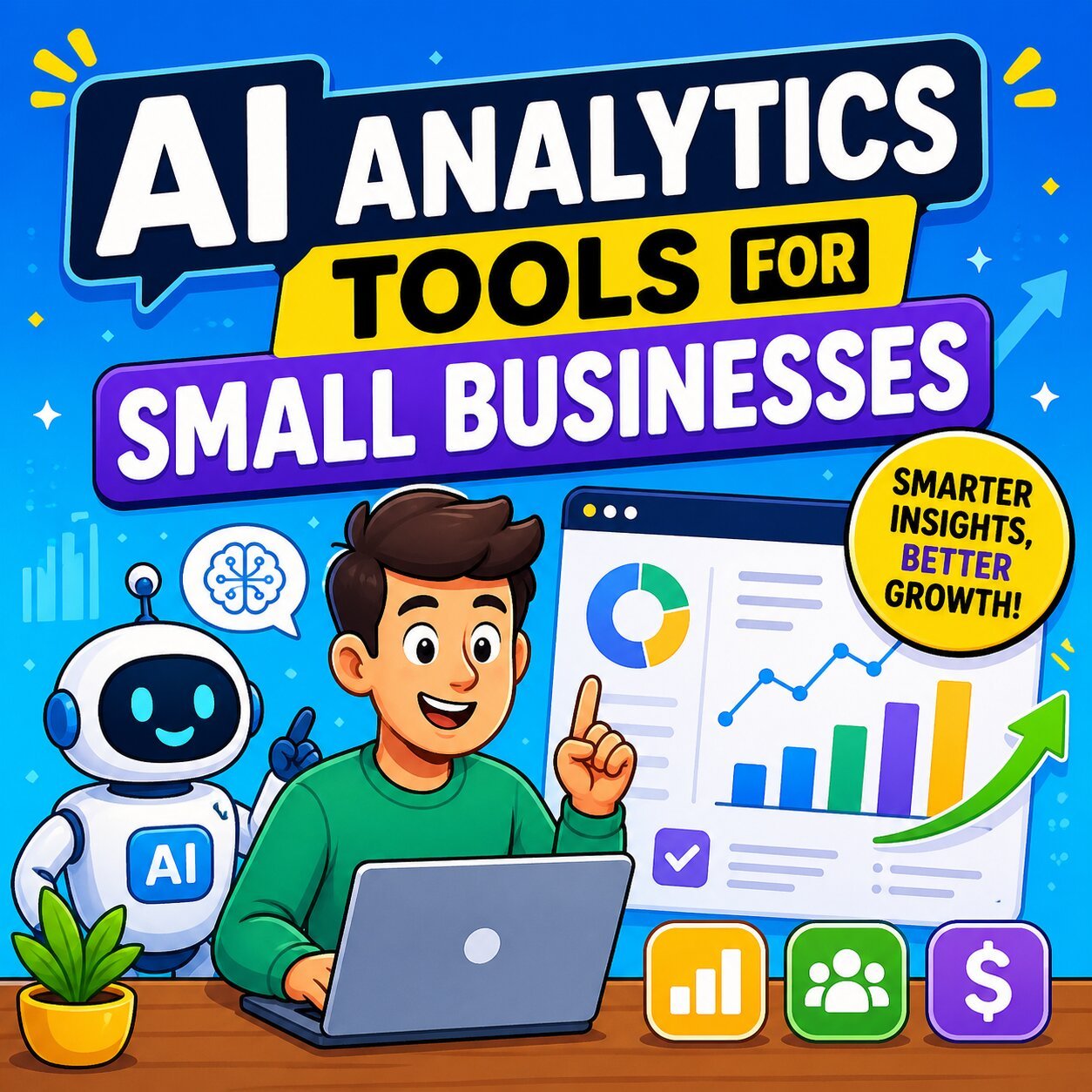
Best AI Analytics Tools for Small Businesses in 2026
Running a small business without data is like navigating without a map. In 2026, AI analytics tools for small businesses have become more affordable, accessible, and genuinely powerful — giving lean teams the same intelligence firepower once reserved for Fortune 500 companies.
Yet despite the proven ROI, less than a quarter of small businesses consider themselves truly data-driven (IBM). That gap is where this guide lives.
Whether you need to understand your customers better, optimize your marketing spend, or predict your next month’s cash flow, the right AI analytics tool can transform how you make decisions — without hiring a data scientist or blowing your budget.
Why Small Businesses Can No Longer Ignore AI Analytics
The Data Gap Is Real — and Expensive
The numbers tell a compelling story. A McKinsey Global Institute study found that data-driven businesses are 23 times more likely to acquire customers, six times more likely to retain them, and 19 times more likely to be profitable. Meanwhile, companies that base decisions on data analytics have seen productivity increase by 63%.
Yet only 24% of small businesses consider themselves data-driven. That’s not a technology problem — it’s an awareness one.
Here’s what SMBs are leaving on the table without AI analytics:
- Missed revenue signals hiding in sales data
- Marketing budget wasted on channels with poor attribution
- Customer churn that could have been predicted and prevented
- Financial blind spots that delay smart hiring and investment decisions
The good news? The tools that close this gap now start at $0.
What’s Changed in 2026 — AI Is Built Into Tools You Already Use
The biggest shift isn’t the emergence of standalone analytics platforms — it’s that AI analytics capabilities have been embedded directly into the tools small businesses already pay for. Your CRM, email platform, accounting software, and website analytics tool likely already have AI features you’re not using.
Here’s what’s now standard in the best platforms:
- Natural language querying — Ask your data a question in plain English and get a chart back. No SQL, no code.
- Predictive analytics — Know which leads will convert, which customers will churn, and which products will sell before it happens.
- Agentic AI — Tools that proactively surface insights without being asked, alerting you to anomalies before they become problems.
- Embedded dashboards — Real-time performance visibility built directly into the platforms you already live in.
- Pricing democratization — Enterprise-grade analytics now accessible from $24–$30 per month.
What to Look for in an AI Analytics Tool (SMB Buying Criteria)
Core Features That Matter for Small Teams
Not every business needs a data warehouse. But every business does need actionable insights. When evaluating AI analytics tools, prioritize these capabilities:
- Natural language querying — If you need to learn SQL to use it, most small business teams won’t use it consistently.
- Automated dashboards and reporting — Set it once, get fresh reports without manual effort.
- Predictive analytics and anomaly detection — Tools that alert you when something is off before you notice it yourself.
- Multi-source integrations — Connects to your CRM, ad platforms, ecommerce store, and email tool.
- Collaboration features — Share reports with your team and clients without giving everyone platform access.
Pricing Models Explained
Understanding how AI analytics tools charge you prevents sticker shock at scale:
- Freemium tiers — GA4, Looker Studio, camelAI, and HubSpot CRM offer powerful free plans. Start here.
- Per-user subscriptions — Zoho Analytics starts at $24/month for 2 users. Scales predictably as your team grows.
- Feature-tiered plans — camelAI runs $30 (Basic) → $60 (Standard) → $145 (Premium). Good for solo operators to growing teams.
- Usage-based pricing — Platforms like Cometly price around ad spend volume, which makes sense for performance marketers but can get expensive fast.
- Enterprise custom pricing — Avoid these unless you genuinely have a dedicated analytics function. Not built for SMB scale.
Red Flags to Watch Out For
Some analytics tools market themselves as “SMB-friendly” but deliver a very different experience in practice. Watch for:
- No onboarding support — A powerful tool your team can’t learn isn’t worth anything.
- Hidden costs per connector — Some platforms charge extra per data source. This adds up quickly.
- Missing compliance features — If you handle customer data, GDPR and CCPA compliance aren’t optional.
- Requires a data engineer to operate — If setup takes weeks and a specialist, it’s the wrong tool for your stage.
Best AI Analytics Tools for Small Businesses — By Category
Best General Business Intelligence (BI) Tools
Zoho Analytics — Best Affordable AI-Powered BI for SMBs
Zoho Analytics is the clearest example of enterprise-grade analytics at SMB pricing. At $24/month for two users, it delivers a feature set that would have cost ten times as much five years ago.
The standout feature is Zia, Zoho’s AI assistant. Type a business question — “Which product had the highest return rate last month?” — and Zia returns a chart with a plain-language explanation. No setup, no formulas, no data team required.
Key features:
- Natural language querying via Zia AI
- Drag-and-drop report builder with 50+ chart types
- Connects to 500+ data sources (CRM, spreadsheets, cloud databases, ad platforms)
- Automated scheduled reports sent to your inbox
- Collaboration features for sharing dashboards with clients or stakeholders
Best for: Non-technical small business owners who want a single BI platform across departments.
Limitation: Visualization depth is more limited than Tableau; the interface has a moderate learning curve despite the NLP layer.
Microsoft Power BI — Best for Microsoft 365 Users
If your business already runs on Microsoft 365 — Teams, Excel, and SharePoint, Power BI is the natural extension. It connects directly to your existing data without migration headaches, and the Copilot AI assistant (integrated in 2025–2026) allows natural language report generation.
Key features:
- Deep native integration with Excel, Teams, SharePoint, and Azure
- Copilot AI for generating reports and summarizing dashboards
- Interactive drill-down dashboards
- Free desktop version; Power BI Pro at $10/user/month
Best for: SMBs already in the Microsoft ecosystem wanting BI without switching tools.
Limitation: The learning curve for custom report building is steep. Out-of-the-box templates help but may not cover all use cases.
Julius AI — Best for Conversational Data Analysis
Julius AI takes a different approach: instead of traditional dashboards, it gives you a conversational interface where you upload your data (or connect sources) and simply ask questions. It returns presentation-ready charts and summaries.
Key features:
- Conversational AI for data analysis (no dashboard setup required)
- Handles multi-source datasets including CSVs, databases, and connected apps
- Generates polished, shareable visual outputs
- Ideal for fast, ad-hoc analysis
Best for: Solo founders, consultants, and small ops teams who need quick insights without building dashboards.
Limitation: Data quality matters — messy or uncleaned CSVs can produce inaccurate outputs. Treat results as a starting point, not a final answer.
camelAI — Best Budget Pick With a Generous Free Tier
camelAI has emerged as one of the most accessible entry points for small businesses testing AI analytics for the first time. Its free tier provides 10 questions per week, 3 data source connections, and access to its full AI chat interface — enough to validate whether AI analytics delivers value for your team before spending anything.
Pricing:
- Free: 10 queries/week, 3 sources
- Basic: $30/month
- Standard: $60/month
- Premium: $145/month
Key features:
- 40+ data connectors (no SQL required)
- Natural language querying with interactive Plotly visualizations
- Dashboard creation and sharing
Best for: Bootstrapped SMBs that want to start with zero risk and upgrade as they grow.
Best AI Analytics Tools for Marketing
Google Analytics 4 (GA4) — Best Free Marketing Analytics
GA4 remains the undisputed starting point for any small business with an online presence — and the price (free) is hard to argue with. But it’s the AI layer that makes it genuinely useful in 2026.
AI-powered features:
- Anomaly detection — GA4 automatically surfaces unusual patterns: sudden traffic drops, conversion rate spikes, unexpected bounce rate changes. You don’t need to monitor every metric manually.
- Predictive audiences — Machine learning identifies users likely to purchase or churn within the next 7 days. Use these audiences in Google Ads for precision remarketing.
- Insights cards — GA4’s home dashboard surfaces contextual alerts and trend summaries in plain language.
Best for: Any SMB with a website. There’s no scenario where this tool shouldn’t be running.
Limitation: The GA4 interface has a steeper learning curve than Universal Analytics. Invest 2–3 hours in onboarding and it pays off for years.
Once your GA4 data shows which content formats drive the most engagement, pair those insights with AI-generated video scripts to create content you can actually measure ROI on — a loop that compounds over time.
HubSpot Marketing Hub — Best All-in-One CRM + Marketing Analytics
HubSpot has evolved significantly. Its freemium CRM and marketing tools now include AI-powered content suggestions, email performance analysis, form conversion tracking, and campaign attribution — all in one dashboard that connects directly to your contact database.
Key features:
- Campaign attribution connecting marketing touchpoints to revenue
- AI content assistant for emails, landing pages, and social posts
- Detailed email analytics (open rates, click maps, A/B test results)
- Contact timeline showing full prospect-to-customer journey
Pricing: Freemium; Starter from $20/month; Professional from $890/month (significant jump — most SMBs get strong value from Starter)
Best for: SMBs running inbound marketing who want their analytics connected to their CRM.
For teams using HubSpot’s email tools, pairing them with a dedicated AI email assistant can dramatically cut the time spent on manual outreach — especially for follow-up sequences.
Whatagraph — Best for Automated Marketing Reporting
Whatagraph is built for marketing teams and agencies that spend too much time building reports and not enough time using them. Its Whatagraph IQ feature doesn’t just compile your data — it explains what happened and why, in plain language, and answers follow-up questions from that same dataset.
Key features:
- 55+ native integrations (Google Ads, Meta, Shopify, HubSpot, GA4, and more)
- AI-powered report generation in seconds
- Automated scheduling: reports delivered to inboxes on your cadence
- Live shareable links for client reporting
Verified result: Marketing agencies using Whatagraph report saving 100+ hours per month on reporting — time reallocated to strategic analysis and client work.
Best for: Marketing teams and agencies managing multiple channels and client accounts.
Semrush — Best for SEO and Competitive Marketing Analytics
Semrush is the gold standard for search-focused marketing analytics. Its AI layer now handles keyword gap analysis, content opportunity detection, and competitive position tracking automatically — surface insights your competitors are missing.
Key features:
- AI-powered keyword research and content gap detection
- Competitor traffic analysis and backlink auditing
- Position tracking across search engines
- Content optimization scoring with semantic keyword suggestions
Pricing:
- Pro: $129.95/month (freelancers, startups)
- Guru: $249.95/month (SMBs and growing agencies — the most relevant tier)
Best for: Content-first small businesses and SEO-focused teams where organic search drives revenue.
Limitation: Requires time investment to learn. The data depth is exceptional, but beginners may feel overwhelmed by the interface initially.
Best AI Analytics Tools for Sales
Zoho CRM with Zia — Best AI Sales Tool for Budget-Conscious SMBs
Zoho CRM’s Zia AI assistant turns your sales data into forward-looking intelligence. Rather than showing you what happened last quarter, Zia tells you what’s likely to happen next — and which deals deserve your attention today.
AI capabilities:
- Lead scoring — Predicts which leads are most likely to convert based on behavioral patterns
- Sentiment analysis — Reads customer emails and flags negative sentiment before a deal goes cold
- Sales forecasting — Projects pipeline outcomes with anomaly alerts when deals deviate from historical patterns
- Best time to contact — Suggests optimal outreach timing per contact based on past engagement data
Pricing: Freemium available; Standard at $14/user/month; Professional at $23/user/month
Best for: Small sales teams without a dedicated RevOps function who want AI-driven guidance without enterprise complexity.
Apollo.io — Best for AI-Driven Prospecting
Apollo.io has become the go-to prospecting platform for SMBs scaling their outbound sales. With a database of 265M+ contacts and AI research agents that personalize outreach automatically, it collapses what used to be a full-time SDR workflow into a part-time operation.
Key features:
- 265M+ verified contact database with AI enrichment
- Automated personalized email sequences
- AI research agents that pre-build prospect profiles before outreach
- Engagement analytics: tracks opens, clicks, replies, and meetings booked
Growth signal: Apollo.io achieved 500% year-over-year growth in 2025–2026, driven by SMB and growth-stage teams scaling outbound with minimal headcount.
Best for: SDR teams, founder-led sales, and growth-stage SMBs scaling personalized outreach without expanding headcount.
HubSpot CRM (Free) — Best No-Cost Starting Point for Sales Analytics
HubSpot’s free CRM is legitimately one of the most powerful free tools in the SMB stack. Deal pipeline visualization, email tracking, contact activity logs, and meeting scheduling are all available at no cost.
Key features:
- Visual drag-and-drop sales pipeline
- Email open and click tracking
- AI-assisted email reply suggestions
- Meeting scheduling links (eliminates back-and-forth)
- Free forever with generous limits
When your pipeline is moving fast, pair HubSpot’s tracking with an AI email reply generator to respond to prospects faster and more consistently — without sacrificing personalization.
Best AI Analytics Tools for Finance and Operations
QuickBooks with AI Insights — Best for Small Business Finance Analytics
QuickBooks has long been the default accounting tool for SMBs. Its AI layer, expanded significantly in 2025–2026, now turns transactional data into forward-looking financial intelligence.
AI-powered features:
- Cash flow forecasting — Projects 90-day cash position based on historical transactions and scheduled invoices
- Expense categorization — AI auto-categorizes expenses, flagging anomalies and potential deductions
- Anomaly detection — Alerts you to unusual transactions that could indicate errors or fraud
- Revenue trend analysis — Surfaces seasonal patterns and growth trends without manual reporting
Best for: SMBs that want finance analytics without a CFO or financial analyst on staff.
Limitation: Analytics are most powerful when all financial data flows through QuickBooks. Businesses using multiple disconnected finance tools will see less value.
Xero Analytics Plus — Best for Real-Time Financial Visibility
Xero Analytics Plus is the analytics add-on to Xero’s accounting platform. It goes beyond standard bookkeeping to give SMBs genuine financial foresight.
Key features:
- Short-term cash flow projections (30, 60, 90-day views)
- Business performance benchmarking against industry peers
- Scenario modeling: run “what if” projections before making financial decisions
- Real-time bank feed integration for live financial snapshots
Best for: SMBs already using Xero for accounting who want to upgrade from reactive reporting to proactive financial planning.
Limitation: The Analytics Plus add-on requires an existing Xero subscription. Not a standalone tool.
Best AI Tools for Customer Insights and Behavior
Mixpanel — Best for Product and Customer Behavior Analytics
Mixpanel tracks how users actually interact with your product or website — not just that they visited, but what they clicked, where they dropped off, and which behaviors predict whether they’ll stick around or leave.
AI-powered capabilities:
- Signal detection — Automatically identifies which user behaviors correlate with retention and conversion. Instead of testing hundreds of behavioral combinations manually, Mixpanel surfaces patterns like “users who complete X within 24 hours are 3× more likely to convert.”
- Funnel analysis — See exactly where users drop off in your conversion flow and why
- Retention predictions — Forecast which user cohorts are at risk of churning
- A/B test measurement — Run experiments and immediately see their impact on key metrics
Pricing: Free plan available; Growth from $28/month
Best for: SaaS-adjacent SMBs, app-based businesses, and ecommerce companies where user behavior drives growth decisions.
Zendesk AI Analytics — Best for Customer Support Insights
For SMBs with customer service operations, Zendesk’s AI analytics layer transforms support tickets from a cost center into a strategic intelligence source.
Key features:
- Resolution time tracking and agent performance benchmarking
- Sentiment analysis across customer interactions
- Automatic surfacing of top complaint patterns and recurring issues
- Customer satisfaction (CSAT) trend analysis
Best for: SMBs with 5+ person support teams who want to reduce resolution time and improve customer experience using data, not gut instinct.
Head-to-Head Comparison: AI Analytics Tools at a Glance
| Tool | Category | Free Tier | Starting Price | Best For | Standout AI Feature |
|---|---|---|---|---|---|
| Zoho Analytics | General BI | ✅ | $24/mo | Non-technical SMBs | Zia NLP querying |
| Power BI | General BI | ✅ (desktop) | $10/user/mo | Microsoft 365 users | Copilot AI reporting |
| Julius AI | General BI | ✅ (limited) | Custom | Solo founders | Conversational analysis |
| camelAI | General BI | ✅ | $30/mo | Budget-first SMBs | 40+ connectors, NLP |
| GA4 | Marketing | ✅ | Free | All SMBs | Predictive audiences |
| HubSpot Marketing | Marketing | ✅ | $20/mo | Inbound marketers | CRM-connected attribution |
| Whatagraph | Marketing | ❌ | Custom | Agencies | AI-generated reports |
| Semrush | Marketing/SEO | ❌ | $129.95/mo | SEO-focused SMBs | Content gap AI |
| Zoho CRM (Zia) | Sales | ✅ | $14/user/mo | Small sales teams | Lead scoring + sentiment |
| Apollo.io | Sales | ✅ (limited) | $49/mo | Outbound teams | AI research agents |
| HubSpot CRM | Sales | ✅ | Free | All SMBs | Pipeline + email tracking |
| QuickBooks AI | Finance | ❌ | $35/mo | SMB finance tracking | Cash flow forecasting |
| Xero Analytics+ | Finance | ❌ | Add-on | Xero users | Scenario modeling |
| Mixpanel | Customer Insights | ✅ | $28/mo | App/SaaS SMBs | Behavioral signal detection |
| Zendesk AI | Customer Support | ❌ | $55/mo | Support teams | Sentiment analysis |
Real-World Use Cases: How SMBs Are Using AI Analytics in 2026
E-Commerce: Predicting Which Products Will Sell Next
A boutique clothing store using GA4’s predictive audiences identified customers with high purchase probability — users who hadn’t bought yet but whose behavior patterns matched previous converters. By feeding this audience into a targeted Google Ads campaign and pairing the messaging with QuickBooks’ 90-day cash flow forecast, they pre-ordered inventory aligned with projected demand rather than guessing from last year’s numbers.
Tools in this stack: GA4 + Google Ads (predictive audiences) + QuickBooks AI cash flow forecast
Result type: Reduced overstock by aligning inventory purchasing with predicted demand signals.
Local Service Business: Turning Reviews Into Revenue Signals
A three-person HVAC company used Zendesk AI to analyze 12 months of customer support interactions. The sentiment analysis surfaced a recurring complaint about scheduling delays — an issue the team knew existed but hadn’t quantified. With that data, they restructured their booking process, reduced resolution time by 40%, and saw CSAT scores climb within 60 days.
Tools in this stack: Zendesk AI Analytics + Zoho CRM Zia
Result type: Process improvements driven by sentiment data, not guesswork.
Freelancers and Solopreneurs: Analytics Without the Overhead
A solo digital consultant used camelAI’s free tier to connect their Google Analytics and Stripe data, asking natural language questions like “Which service generated the most revenue per hour spent in Q1?” — getting clear answers in seconds without building a single dashboard. When they upgraded to camelAI Basic ($30/month), they added social media analytics and started delivering weekly data-backed performance summaries to retainer clients.
Tools in this stack: camelAI + GA4 + Stripe
Result type: Professional-grade client reporting at a total cost of $30/month.
Content and Digital Marketing Businesses
Once analytics reveal which content formats generate the most traffic, time-on-page, and conversions, the next move is to double down on production. If video outperforms written content on your GA4 dashboard, the logical play is to scale video — efficiently. AI video editing tools make it possible to produce more content without proportionally increasing production costs, closing the loop between analytics insight and content output.
Tools in this stack: GA4 + Semrush + Whatagraph + video production AI tools
Key Trends Shaping AI Analytics for SMBs in 2026
Trend 1 — Agentic Analytics: AI That Tells You Before You Ask
The most significant shift in 2026 is the move from reactive dashboards to proactive intelligence. Instead of logging in to check your metrics, the best tools now surface anomalies and opportunities automatically.
GA4 sends anomaly alerts to your inbox. Whatagraph IQ explains metric changes without being prompted. Zoho Zia flags unusual sales patterns before your pipeline meeting. This is agentic AI in practice — not science fiction, but daily functionality in tools you can access today.
Trend 2 — Natural Language Becomes the Default Interface
The SQL barrier is effectively gone for small business analytics. Zoho Zia, Julius AI, camelAI, and ThoughtSpot all allow business owners to type plain-English questions and receive instant data visualizations. This has reduced the time from “question” to “insight” from days (waiting for a report) to seconds.
Trend 3 — Embedded AI in Existing SMB Stacks
You don’t need to adopt a standalone analytics platform if your existing tools already deliver AI insights. HubSpot, QuickBooks, Xero, and Zendesk have all embedded meaningful AI analytics layers. The smartest move for many SMBs is to activate the AI features already included in their current subscriptions before purchasing anything new.
Trend 4 — Predictive Analytics for Everyone
Churn prediction, purchase probability forecasting, and demand modeling were enterprise-only capabilities as recently as 2022. In 2026, they’re available at $24–$30/month through Zoho Analytics, Mixpanel, and GA4. SMBs willing to spend one hour on setup can access the same predictive intelligence as companies with dedicated data science teams.
Trend 5 — Privacy-First Analytics in a Post-Cookie World
With third-party cookies largely phased out and GDPR/CCPA enforcement intensifying, first-party data strategy has moved from “best practice” to survival requirement. Google’s official GA4 privacy documentation outlines how to configure consent mode correctly — a compliance step that’s become as important as the analytics configuration itself. Tools that handle consent management, data anonymization, and regional compliance natively will dominate SMB adoption in the next 12–18 months.
How to Choose the Right AI Analytics Tool for Your Small Business
Step 1 — Define Your Primary Data Use Case
Before evaluating any tool, answer this: What decision do you most need data to improve?
- Marketing performance → Start with GA4 + HubSpot
- Sales pipeline clarity → Zoho CRM with Zia or Apollo.io
- Financial visibility → QuickBooks AI or Xero Analytics Plus
- General dashboards across departments → Zoho Analytics, Power BI, or camelAI
Step 2 — Audit Your Existing Tech Stack
The most underused analytics capabilities in small businesses are the ones already in paid tools. Before spending on a new platform, check:
- Does your CRM have AI analytics built in? (HubSpot, Zoho, Salesforce all do)
- Does your accounting software forecast cash flow? (QuickBooks, Xero both do)
- Does your email platform report on engagement patterns? (Most do)
Start by activating what you already pay for.
Step 3 — Start With Free Tiers, Validate Before Paying
The free tier combination of GA4 + HubSpot CRM + camelAI free + Google Looker Studio gives you a genuinely capable analytics stack at $0/month. Only upgrade when:
- You hit hard limits on data sources or query volume
- You need team collaboration features
- A specific paid feature would save more time per week than its monthly cost
Step 4 — Prioritize Ease of Use Over Feature Depth
A tool used daily by your team beats a powerful tool that nobody opens. Prioritize:
- NLP-first interfaces (Julius AI, Zoho Zia, camelAI) for non-technical teams
- Clean dashboards over raw data exports
- Onboarding support — especially for tools above $50/month
Step 5 — Plan for Data Governance from Day One
If your business handles customer data — which almost all do — compliance isn’t optional. Verify that any analytics tool you adopt:
- Complies with GDPR (EU) and CCPA (California) as applicable to your customers’ locations
- Offers data anonymization and consent management
- Provides clear data processing agreements (DPAs)
Review Google’s GA4 privacy and data management documentation as a baseline for understanding what compliant analytics configuration looks like in practice.
Frequently Asked Questions
What is the best free AI analytics tool for small businesses?
Google Analytics 4 is the strongest free option for website and marketing analytics — its predictive audiences and anomaly detection features are genuinely useful at no cost. HubSpot CRM (free forever) handles sales pipeline analytics. camelAI’s free tier covers natural language data querying. Use all three together as a starting stack before paying for anything.
Can small businesses actually afford AI analytics tools?
Yes — and often at no cost. The most capable entry-level stack (GA4 + HubSpot CRM + Looker Studio) is entirely free. Paid upgrades start at $24–$30/month and deliver enterprise-level intelligence. The ROI question is straightforward: if a $30/month tool saves your team 5 hours per week of manual reporting, it pays for itself many times over.
Do I need a data analyst to use these tools?
No. That’s the defining feature of AI analytics tools in 2026. Natural language interfaces in Zoho Zia, Julius AI, and camelAI allow non-technical business owners to query data by typing plain-English questions. Automated dashboards in GA4, HubSpot, and Whatagraph require no configuration after initial setup.
What’s the difference between traditional BI tools and AI analytics tools?
Traditional BI tools (older versions of Tableau, Power BI) showed you historical data in visual form — useful, but reactive. AI analytics tools go further: they predict future outcomes, detect anomalies automatically, surface insights without being asked, and allow natural language querying. The distinction in 2026 is less about the category and more about how deeply AI is integrated into the platform’s core workflow.
How do AI analytics tools help with marketing ROI?
They solve the attribution problem — showing which channels, campaigns, and touchpoints actually drove revenue, not just clicks. GA4’s predictive audiences improve ad targeting precision. Semrush identifies content opportunities before competitors capture them. Whatagraph automates multi-channel reporting that would otherwise take hours to compile. Together, these capabilities transform marketing from a cost center into a measurable growth engine.
Final Verdict: Which AI Analytics Tools Should Small Businesses Use?
Starter Stack (Free to $50/month)
This combination gives you full-funnel visibility across your website, sales pipeline, and data analysis — at minimal cost:
- GA4 (free) — Website and marketing analytics
- HubSpot CRM (free) — Sales pipeline and email tracking
- camelAI Basic ($30/month) — Natural language data analysis
- Looker Studio (free) — Custom dashboard visualizations
Total cost: $30/month. Coverage: marketing, sales, and general analytics.
Growth-Stage Stack ($50–$300/month)
As your business scales, upgrade to tools that go deeper and connect more data:
- Zoho Analytics ($24/month) — Unified BI across departments
- Zoho CRM with Zia ($14/user/month) — AI-powered sales intelligence
- Semrush Guru ($249.95/month) — For businesses where SEO is a primary growth channel
Total cost: ~$290/month for a 2-person team. Coverage: full-funnel analytics with predictive sales and SEO intelligence.
The One Rule That Applies to Every SMB
The best AI analytics tool is the one your team actually opens every day.
Sophisticated tools that go unused generate zero ROI. Start with the simplest option that answers your most important business question. Validate it. Build the habit of making decisions with data. Then add layers.
Data-driven decision-making isn’t a destination — it’s a practice. Start today, with whatever free tool is one sign-up away.
Have questions about which tool fits your specific business model? Drop them in the comments. This guide is updated as tools evolve — bookmark it and check back.