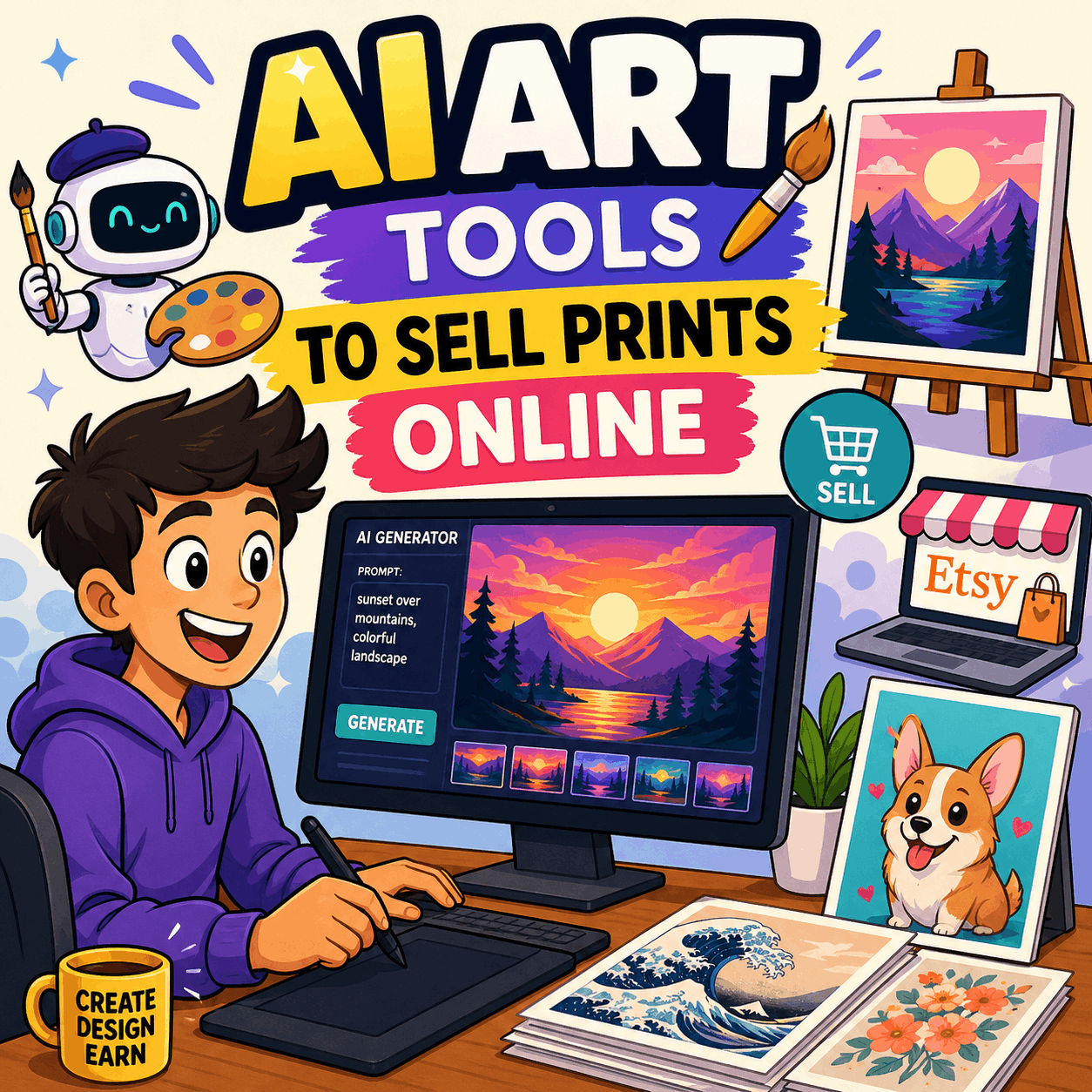
Best AI Art Tools to Sell Prints Online in 2026
You don’t need a fine arts degree, an expensive studio, or years of practice to build a real income selling art online anymore. The best AI art tools to sell prints online have opened the door wide — and in 2026, that door leads to a market worth over $15 billion and still growing fast.
Whether you’re a designer looking to diversify, a side hustler with an eye for aesthetics, or a complete beginner who’s never touched a drawing tablet, this guide is your roadmap. We’ll cover the top AI generation tools, the best platforms to sell on, how to stay legally protected, and the exact strategies that are actually producing income right now.
No fluff. No outdated advice. Let’s get into it.
What You Need to Know Before Picking an AI Art Tool
Before you generate a single image and rush to list it on Etsy, there are two things you need to understand clearly. Most new sellers skip both — and pay for it later.
Commercial License vs. Free Tier — Why It Matters for Sellers
This is the single most overlooked detail in the AI art business space, and it can make your entire operation technically illegal without you even realizing it.
Here’s the breakdown for the major tools:
- Midjourney: Free trial users receive zero commercial rights. Their images are licensed under a Creative Commons Attribution-NonCommercial 4.0 license — which explicitly prohibits selling. Paid subscribers (Basic, Standard, Pro, or Mega plans) own their generated images and can use them commercially. If your company earns more than $1,000,000/year in gross revenue, you’ll need a Pro or Mega plan to retain those rights.
- DALL-E 3 (OpenAI): As of January 2026, OpenAI’s updated Terms of Use assign ownership of generated outputs directly to the user, including any rights OpenAI holds. This is about as seller-friendly as it gets.
- Stable Diffusion (local install): You own everything you generate, full stop. Hosted versions (like via third-party services) may carry their own terms, so always verify.
- Adobe Firefly: Full commercial rights on paid Creative Cloud plans. Because Firefly was trained exclusively on licensed and public domain content, it’s also the most legally “clean” option for commercial use.
The rule: Never upload and sell a single image without first confirming your AI tool grants you commercial use rights at your current subscription tier. Terms change — check them quarterly.
Understanding the 2025–2026 Copyright Landscape
This is where things get nuanced — and where a lot of creators are either confused or dangerously overconfident.
In January 2025, the U.S. Copyright Office released Part 2 of its landmark report on AI and copyright. The core conclusion? Pure AI-generated images — created by typing a prompt and accepting the output — cannot be copyrighted under U.S. law because they lack human authorship. That means if you generate a raw Midjourney image and list it on Etsy, technically anyone could copy that image and you’d have no legal recourse.
But here’s the nuance that matters for sellers:
You can still sell AI art legally. You just can’t copyright the raw output.
What can be copyrighted is your substantial human creative input — editing, compositing, adding typography, color correction, post-processing, or rearranging elements in ways that reflect genuine creative judgment.
A practical rule gaining traction in the creator community is the “30% Rule”: aim to modify at least 30% of the raw AI image. That might mean adding unique hand-designed typography (which is itself considered human authorship), layering elements from multiple generations, or painting over significant portions in Photoshop.
The global landscape is even more varied:
- UK: Copyright in computer-generated works belongs to whoever arranged the creation
- China: Copyright is recognized if the prompts are sufficiently detailed
- EU: Still evolving; individual member-state policies apply
For a deep dive into the official U.S. position, the U.S. Copyright Office’s AI guidance page is the authoritative source and well worth bookmarking.
The Best AI Art Tools to Sell Prints Online in 2026
Now for the part you came for. These are the tools that creators are actively using to build real income — each with distinct strengths, commercial terms, and best-fit use cases.
1. Midjourney — Best for Premium, Print-Ready Realism
If there’s a single name synonymous with high-quality AI art right now, it’s Midjourney. The outputs are consistently stunning — rich textures, dramatic lighting, cinematic depth — and they hold up beautifully when printed large.
Best for: Canvas prints, framed wall art, premium posters, dark fantasy portraits
Commercial use: Paid subscribers only (Basic plan starts at ~$10/month)
Platform: Operates via Discord (type /imagine [your prompt] to get started)
The catch is that Midjourney has a learning curve — prompt engineering matters a lot here. But once you find your style, the outputs are genuinely hard to match. Use Midjourney’s built-in /upscale function to get print-ready resolution, and always aim for files that are at least 4000px on the long edge.
Top-selling niches on Midjourney: Vaporwave cityscapes, impossible architectural interiors, dark academia aesthetics, surrealist landscapes.
Pro Tip: Don’t just accept the first generation. Run 4–6 variations of each prompt, then curate ruthlessly. The curation is where your artistic eye adds real commercial value — and legal authorship.
2. DALL-E 3 (via ChatGPT) — Best for Ease of Use and Ownership Clarity
DALL-E 3 is built directly into ChatGPT, which means if you’re already on a ChatGPT Plus plan, you have instant access to one of the most capable AI art generators available. There’s no Discord server to navigate, no complex parameter syntax to learn — just describe what you want in plain English.
Best for: Digital downloads, children’s room art, minimalist wall prints, concept illustrations
Commercial use: Yes — OpenAI assigns output ownership to you under their January 2026 ToS
Platform: ChatGPT (Plus plan) or via the OpenAI API
The outputs may not hit the same cinematic polish as Midjourney at first glance, but DALL-E 3 is remarkably accurate at following complex instructions — including spatial arrangements, specific styles, and text within images (though Ideogram still leads on the latter).
Combine DALL-E 3 outputs with Canva Pro or Adobe Photoshop for post-processing and you’ve got print-ready artwork with a clear ownership trail.
3. Adobe Firefly — Best for Legally “Clean” Commercial Art
Adobe Firefly is the tool that lets you sleep at night. Unlike most AI art generators trained on scraped internet images of questionable provenance, Firefly was built exclusively on Adobe Stock images, openly licensed content, and public domain works. That means the legal risk of inadvertently generating something that resembles someone else’s copyrighted work is significantly lower.
Best for: Stock-style prints, Adobe Stock submissions, brand-safe commercial designs
Commercial use: Full commercial rights on paid Creative Cloud plans
Platform: Adobe.com, integrated into Photoshop and Illustrator
If you plan to submit to Adobe Stock — which pays contributors 20–33% royalties per sale — Firefly is the most natural pipeline. Generate → refine in Photoshop → submit. The integration is seamless.
For creators already in the Adobe ecosystem, Firefly pairs naturally with AI video editing tools and other Adobe creative products, making it easier to build a cohesive content creation workflow.
4. Stable Diffusion — Best for Advanced Creators Who Want Full Control
Stable Diffusion is the open-source powerhouse of AI art generation. It’s free, it runs locally on your own hardware (or in the cloud), and when you generate an image on your own install, you own it completely — no platform terms to worry about.
Best for: Abstract art, surrealist prints, niche aesthetic collections, custom fine-tuned styles
Commercial use: Full ownership on local install; verify terms on hosted platforms
Hardware: Requires a capable GPU (8GB VRAM minimum recommended); cloud options include RunDiffusion and Vast.ai
The real power of Stable Diffusion for serious sellers is model fine-tuning. You can train a custom LoRA (Low-Rank Adaptation) model on your own aesthetic, effectively teaching the AI to generate art in your signature style. This creates genuine creative differentiation that no other seller can easily replicate.
The tradeoff is complexity — Stable Diffusion is not beginner-friendly. But if you’re willing to invest time learning it, the ceiling for creative control is higher than any other tool on this list.
5. Leonardo.ai — Best Free-Tier Option for Print Designs
Leonardo.ai has become a genuine favorite among creators who want serious capabilities without a serious monthly bill. The free tier is genuinely generous, with 150 tokens per day, access to a library of fine-tuned community models, and a built-in canvas editor for compositing.
Best for: Game-inspired prints, character art, fantasy posters, concept-style illustrations
Commercial use: Paid plans; always verify current ToS before listing
Platform: Web-based at Leonardo.ai
The platform’s community model library is particularly useful — you can generate in styles ranging from cinematic realism to anime to detailed illustration without needing to fine-tune anything yourself.
6. Ideogram — Best for Typography-Integrated Art
Here’s the one that most lists overlook, and it’s a mistake. Ideogram is the only AI art tool that reliably generates legible, stylized text within images — and this is a massive opportunity for print sellers.
Best for: Quote prints, motivational wall art, typographic posters, book cover designs
Commercial use: Paid plans include commercial rights
Platform: Web-based at Ideogram.ai
Think about it: “Live, Laugh, Love” style typography prints are perennial bestsellers on Etsy. With Ideogram, you can generate an entire styled typographic poster — with custom fonts, backgrounds, and decorative elements — from a single prompt.
There’s also a legal upside: adding text to an AI-generated image is explicitly recognized as a form of human authorship, strengthening your copyright position on the final piece.
Quick Tool Comparison at a Glance
| Tool | Best For | Commercial Use | Free Tier | Starting Price |
|---|---|---|---|---|
| Midjourney | Premium realism | Paid plans only | Limited | ~$10/month |
| DALL-E 3 | Ease of use | Yes (user owns output) | Via free ChatGPT | ChatGPT Plus |
| Adobe Firefly | Legally clean art | Yes (paid plan) | Limited credits | CC subscription |
| Stable Diffusion | Full creative control | Yes (local install) | Yes (local) | Free |
| Leonardo.ai | Free + versatile | Paid plans | Yes (150/day) | Free |
| Ideogram | Text-in-art | Paid plans | Yes | Free |
How to Prepare Your AI Art for Print (The Step Most Creators Skip)
Generating a beautiful image is only half the job. What separates a professional AI art seller from someone who uploaded 500 mediocre images and got banned from Amazon Merch is what happens between the generation and the listing.
Resolution and DPI — The Non-Negotiable for Print Quality
Most AI tools generate images at 1024×1024 or similar base sizes. For print products — posters, canvas art, framed prints — this is almost never enough.
The standard you need:
- Minimum: 300 DPI at the intended print size
- Practical target: 4,000–8,000 pixels on the long edge
- File format: PNG or TIFF for digital downloads; high-quality JPEG acceptable for POD platforms
The best upscaling tools right now are LetsEnhance, Magnific AI, and Topaz Gigapixel AI. Midjourney also has a solid built-in upscaler. Run every image through one of these before listing — the quality difference is immediately visible, and buyers notice.
A tiny, blurry image on a product mockup is the fastest way to lose a sale (and earn a bad review).
Post-Processing for Higher Value — and Legal Protection
Raw AI output is rarely sell-ready, and that’s actually a good thing. The post-processing step is where you add genuine human creative value — and where you strengthen your claim to authorship.
A practical workflow:
- Generate your base image in your AI tool of choice
- Upscale using LetsEnhance or Magnific AI to print resolution
- Color-correct in Lightroom or Photoshop — adjust contrast, saturation, tonal balance
- Crop and compose — consider the final print format (square, A4, 16:9) and crop intentionally
- Add elements — typography, borders, textures, or overlapping elements for a unique finish
- Export in the correct format and resolution for your target platform
This workflow doesn’t need to take hours. A focused 10–15 minutes per image on steps 3–5 can dramatically elevate the quality and protect your work at the same time.
Building a Collection, Not Just Random Singles
Here’s a selling insight that consistently separates $200/month stores from $2,000/month stores: buyers want collections that work together.
A set of 20 botanical prints in a unified palette and style will outsell 20 random one-off images every time. The reason is practical — buyers are often decorating a space, and they want pieces that coordinate.
Before you list anything, ask yourself: Is this part of a story? Does it have a cohesive visual identity?
A real example: a creator known online as “NeonDreamscape” built a Shopify store around just four aesthetic niches — vaporwave cityscapes, dark academia libraries, cottagecore landscapes, and solarpunk architecture. Each collection has 20–30 coordinated pieces. The result? Around $4,200/month average revenue, with 60% coming from digital downloads and 40% from physical prints through a POD partner.
She generates roughly 100 images for every one she lists. That curation is where the art lives.
Best Platforms to Sell AI Art Prints Online in 2026
Once your art is print-ready, you need to know where to send it. The good news: there are more quality options than ever, and you don’t have to choose just one.
Print-on-Demand Marketplaces (Zero Inventory, Zero Upfront Cost)
These platforms handle everything after your art is uploaded — printing, packaging, shipping, and customer service. You just collect royalties.
Redbubble
One of the most passive POD options available. Upload your design, choose which products to apply it to (posters, canvas prints, phone cases, mugs, t-shirts), and collect royalties every time someone orders. You set your own markup — typically 10–30% above the base price.
- AI Policy: Allowed with disclosure
- Best for: Niche community designs, hobby-specific art, pop-culture aesthetics
- Key insight: Generic designs don’t sell here. Niche-focused designs targeting specific communities (astronomy fans, specific dog breeds, gaming subcultures) consistently outperform broad content.
Society6
Society6 caters to a premium, art-conscious buyer who wants more than a standard poster. Think framed prints, canvas art, tapestries, bedding, and even furniture with your designs printed on them.
- Best for: Positioning AI art as fine art rather than novelty design
- Key insight: Higher price points, higher-quality buyer. If your aesthetic is genuinely gallery-worthy, Society6 is where your work belongs.
Merch by Amazon (Amazon Merch on Demand)
Access to Amazon’s massive Prime audience is a serious advantage. But in 2026, Amazon has tightened enforcement significantly — accounts that look like “spam farms” uploading thousands of generic, unchecked AI images are being suspended.
- Best for: High-volume, niche-focused, quality designs
- Important: Application-based access; focus on original, clean designs to get approved and stay in good standing.
Displate
Displate prints your art on metal posters with a unique magnetic mounting system — which gives them a collectible, premium feel that justifies higher prices.
- Best for: Gamers, anime fans, collectors, pop-culture art
- Key insight: The metal format and dedicated collector community make Displate one of the more differentiated POD platforms.
Digital Download Platforms (Highest Margin Model)
Digital downloads have zero production cost, instant delivery, and margins of 80–95%. This is the highest-profit model in AI art selling.
Etsy
Etsy remains the single largest marketplace for AI art digital downloads. Sellers package their AI art as printable wall art — customers pay, download the file, and print it themselves at home or at a local print shop.
- AI Policy: Required disclosure — frame your work as “AI-assisted, human-curated” rather than hiding it
- Best formats: Printable wall art, digital planners, sticker sheets, customizable templates, clipart packs
- SEO matters here: Strong keyword research in your listing titles and tags is essential. Tools like eRank or EverBee will show you exactly what buyers are searching for before you create anything.
- External resource: Etsy’s Seller Handbook covers current AI disclosure policies and listing best practices.
Pro Tip: The most successful Etsy AI art sellers are transparent about their process and lean into it. “AI-generated and curated by the artist” is not a weakness — it’s a genuine selling point for many buyers.
Creative Fabrica
Creative Fabrica has grown rapidly as a destination for digital designers, crafters, and print-on-demand sellers. It’s a platform aimed at other creatives, not end consumers.
- Best for: Graphic assets, seamless patterns, clipart, fonts, and design bundles
- AI Policy: Allowed with disclosure
- Key insight: If your target customer is another designer or small business owner, Creative Fabrica can be surprisingly lucrative.
Gumroad
Gumroad gives you complete control over your brand and pricing, with no marketplace competition. But it brings zero traffic — you need your own audience to make it work.
- Best for: Exclusive art packs, Midjourney prompt collections, style guides, curated image bundles
- When it works: If you’ve built an Instagram following, a TikTok presence, or a newsletter audience, Gumroad is your storefront.
- Content engine tip: If you’re using AI tools to build that audience, AI video scripts for YouTube and TikTok can help you generate consistent promotional content to drive traffic back to your Gumroad store.
Stock Licensing Platforms (Passive at Scale)
Adobe Stock
Adobe Stock is one of the highest-paying stock platforms for AI-generated images in 2026. Contributors earn 20–33% royalties per sale, AI content is fully accepted as long as it’s labeled, and the buyer pool is enormous.
- Best strategy: Evergreen, commercially applicable subjects — business concepts, lifestyle imagery, nature, abstract backgrounds
- Key advantage: The Firefly-to-Adobe Stock pipeline is seamless if you’re already in the Adobe ecosystem.
Shutterstock
Shutterstock’s contributor program accepts AI art with proper disclosure. It’s a volume-based passive income play — the more high-quality, on-trend images you have in your portfolio, the more consistent the royalty stream.
Monetization Strategies — How to Actually Make Money with AI Art
Knowing the tools and platforms is one thing. Building a sustainable income from them requires strategy. Here are the approaches that are producing real results in 2026.
Strategy 1 — Passive Income via Print-on-Demand
The beauty of POD is the upload-once, earn-forever model. One well-made design can generate royalties for years without any additional effort.
The key to scaling this model:
- Multi-platform listing: The same artwork can earn on Redbubble, Society6, and Merch by Amazon simultaneously
- Niche stacking: Instead of one broad theme, build 3–5 validated micro-niches in a single shop
- Consistency: Aim to add 5–10 new products weekly; track which niches and styles convert and double down on those
Think of it less as creating individual artworks and more as building a diversified catalog.
Strategy 2 — Digital Downloads (Highest Margin Play)
If you want the cleanest economics in AI art selling, digital downloads on Etsy are it. Your cost of goods is zero beyond your AI tool subscription, and you keep 70–80% of the sale price after Etsy fees.
What sells well:
- Printable wall art in trending styles ($5–$25 per listing)
- Digital art bundles (10–20 coordinated prints sold as a set for $15–$50)
- Printable journals, planners, and digital stationery
- Party printables and seasonal decoration packs
The volume-to-effort ratio is excellent once your shop is built out and SEO-optimized.
Strategy 3 — Stock Image Licensing
Submit your best work to Adobe Stock, Shutterstock, and the Canva Contributor program. This is a pure passive income play — your images are searchable by millions of buyers, and every license generates a small royalty.
The math works when you have volume. A library of 500+ commercially relevant images can generate consistent monthly income without ongoing effort.
Strategy 4 — Selling Art Packs and Prompt Collections
This model has quietly become one of the more interesting opportunities in the AI art space. If you’ve developed a strong aesthetic or mastered a particular style in Midjourney or Stable Diffusion, there’s a real market for your knowledge.
Sell via Gumroad or Payhip:
- Curated image packs: 30–50 high-quality images in a specific niche or style
- Prompt collections: The exact prompts you use to generate your best work
- Style guides and tutorials: How-to content for other creators
For creators who want to turn this into a teaching-based business, AI platforms for online skill building are a natural next step — packaging your expertise into structured courses adds another revenue layer entirely.
Strategy 5 — Custom Commissions and Client Work
The AI-generated pet portrait market alone is valued at around $1.5 billion and projected to reach $4.5 billion by 2033. That tells you something important: personalization has enormous commercial power.
The model is simple:
- Customer submits a photo of their pet (or subject)
- You use AI + Photoshop to generate a stylized portrait
- Deliver a high-resolution digital file or physical print through a POD service
The high emotional value of a personalized product means customers are far less price-sensitive. A custom pet portrait in a “Renaissance painting” style can command $25–$75 as a digital file — far above the margin on any generic print.
A Note on NFTs in 2026
Be realistic here. The NFT market has cooled significantly from its 2021–2022 peak, and it’s no longer a reliable primary revenue strategy for most AI art creators. There is still a market for 1-of-1 collectible pieces on platforms like Foundation or SuperRare, particularly within specific artistic communities. But for anyone starting out, print-on-demand and digital downloads will generate income far more reliably and predictably than chasing NFT sales.
The Hottest Niches for AI Art Prints Right Now
Picking the right niche is arguably more important than picking the right tool. Here’s what’s actually selling in 2026, based on current market data.
Top-Performing Niche Categories
High-converting niches right now:
- Minimalist wall art in neutral tones — perennial bestseller for home staging and interior design buyers
- Cottagecore and botanical prints — Etsy’s longest-running aesthetic trend shows no signs of slowing
- Custom AI pet portraits — emotional, personalized, high willingness to pay
- Dark academia and surrealist interiors — strong discovery on Pinterest and Instagram
- Vaporwave and retro-futurism — TikTok aesthetics are driving new audiences to this style
- Nursery and children’s room art — themed, pastel, often sold as coordinated sets
- Niche hobby communities — astronomy, gardening, foraging, specific dog breeds, professions
The consistent thread across all of these? They serve a defined audience with a clear aesthetic identity. That definition is what makes them discoverable and what makes buyers feel like the art was made specifically for them.
The “Interest × Aesthetic” Matrix — Your Niche Formula
The most powerful niche strategy in 2026 isn’t picking a category — it’s combining a specific interest with a distinct visual style.
Examples:
- Astronomy + Cottagecore = “Cottagecore Cosmos Prints”
- Gardening + Dark Academia = “Botanical Library Prints”
- Dog Breeds + Retro Illustration = “Vintage Dachshund Art”
- Remote Work + Minimalism = “Home Office Motivational Prints”
Each of these combinations creates a specific search universe with defined buyer intent and relatively low competition. Validate any niche idea with Google Trends and Etsy search volume before committing to a full collection.
For sellers who are also exploring the fashion and apparel design space, AI fashion assistants are increasingly being used alongside AI art generators to develop cohesive product lines for clothing-based POD shops.
Legal and Ethical Checklist for Selling AI Art in 2026
This section could save your business. Platforms are actively enforcing stricter standards in 2026, and the sellers getting banned aren’t always doing something obviously wrong — they’re just ignoring the rules they didn’t know existed.
Before You List — 5 Non-Negotiable Checks
1. Verify your commercial license. Free tiers on Midjourney, Leonardo.ai, and most other tools explicitly prohibit commercial use. If you haven’t paid for a plan that grants commercial rights, you cannot legally sell the output.
2. Add meaningful human authorship. The U.S. Copyright Office has been clear: simple text prompts do not qualify as sufficient human creativity. Edit, post-process, composite, or add typography to your raw AI outputs. Document your process.
3. Disclose AI use on all platforms that require it.
- Etsy: Required
- Adobe Stock: Required labeling at upload
- Amazon Merch: Strict anti-spam enforcement; disclosure recommended
- Redbubble: Encouraged; disclosure builds trust with buyers
4. Avoid substantially similar outputs to existing works. If your AI generates something that looks remarkably similar to a known IP (a specific character, brand logo, or copyrighted artwork style), do not list it. Even if you didn’t intentionally prompt for it, you as the seller bear responsibility.
5. Keep records of your creative process. Maintain prompt logs, export histories, and edit files. If a copyright dispute ever arises, documentation of your creative involvement is your primary defense.
Ethical Practices That Build Long-Term Business Trust
Beyond legal compliance, there’s a real reputational argument for ethical transparency. Buyers are broadly accepting of AI art — when it delivers genuine value.
What loses buyer trust:
- Claiming work is “handmade” when it isn’t
- Using AI tools trained on copyrighted artists’ work without disclosure
- Flooding platforms with hundreds of near-identical, unedited images
What builds trust:
- Being transparent (“AI-assisted and curated by the artist”)
- Delivering consistently high-quality, thoughtfully composed work
- Building a recognizable brand identity around a specific aesthetic
The broader conversation around responsible AI use is evolving rapidly. For a deeper look at where ethical AI practices are heading, Ethical AI Trends Every User Should Know in 2026 is worth reading — especially for anyone building a business on AI-generated content.
For additional legal context, the Center for Art Law’s coverage of AI copyright developments provides an excellent non-jargon breakdown of recent rulings and what they mean for creators.
Tools to Run and Grow Your AI Art Business (Beyond Generation)
The art is the product. But running a real business requires a few more tools in your kit.
File Upscaling and Image Preparation
- LetsEnhance — best for clean, artifact-free upscaling; subscription model
- Magnific AI — exceptional detail enhancement; ideal for complex illustrations
- Topaz Gigapixel AI — desktop software; great for bulk upscaling workflows
Mockup and Listing Creation
- Placeit — massive library of print and product mockups; great for Etsy listing images
- Canva Pro — design, mockup creation, and light editing in one browser-based tool
- Printful’s Mockup Generator — free; specifically designed for POD product photography
- MyDesigns.io — AI design generation, professional mockups, and one-click publishing to Etsy and Shopify in one platform
Keyword Research for Etsy and POD
- eRank — Etsy SEO tool; keyword search volume, competition analysis, listing grades
- EverBee — product research and revenue estimation for Etsy shops
- Sale Samurai — Etsy-focused keyword tool with long-tail suggestions
Automating Your Business Operations with AI
Once your creative workflow is running, the operational side of the business — customer emails, listing descriptions, social media posts — can eat serious time if you let it.
AI writing tools (including Claude and ChatGPT) can generate SEO-optimized product descriptions at scale. AI email assistants can handle customer communication and follow-ups so you’re not personally responding to every “where’s my order?” message. And for day-to-day customer reply needs, an AI email reply generator can draft polished responses in seconds, keeping your response rate (a key Etsy ranking factor) consistently high.
For tracking what’s actually working, AI analytics tools for small businesses can connect your platform data and surface which products, niches, and traffic sources are driving your revenue — without needing to spend hours inside spreadsheets.
Common Mistakes That Kill AI Art Sales (And How to Avoid Them)
These aren’t hypothetical. They’re the patterns that consistently show up in stores that stall — and they’re all fixable.
Mistake 1 — Uploading Raw, Unprocessed AI Outputs
Buyers can tell. Weird fingers, soft edges, inconsistent lighting, artifacts in the background — these scream “lazy AI” and kill trust instantly. Every image should go through your post-processing workflow before it gets listed.
Mistake 2 — No Niche Focus
Uploading random art across every possible style is a strategy that worked in 2022. It doesn’t work now. Algorithms on Etsy, Redbubble, and Amazon reward relevance and specificity. A store with 50 coherent products in one niche will outperform a store with 500 random designs every single time.
Pick a lane. Own it.
Mistake 3 — Ignoring Platform Disclosure Rules
Getting your shop banned or suspended wipes out months of passive income overnight. Disclosure is required on most major platforms, it takes five seconds, and it’s a marketing asset — not a liability. Frame it right and it works for you.
Mistake 4 — Underpricing
This is extremely common among new AI art sellers. The cost to generate the art is near zero, so people feel guilty charging real prices. Don’t.
Price based on the value to the buyer, not your production cost. A beautiful piece of wall art that transforms someone’s living room is worth $25 as a digital download. A set of coordinated nursery prints is worth $40–$60. A custom pet portrait is worth $50+. Underpricing devalues the work and trains buyers to expect bargain pricing across the category.
Mistake 5 — Single-Platform Dependency
Relying on one platform means one algorithm change, one policy update, or one account suspension can eliminate your entire income. Cross-listing across Etsy, Redbubble, and Adobe Stock with the same artwork is not extra work — it’s basic risk management and revenue multiplication.
How to Scale Your AI Art Print Business in 2026
Once you’ve validated a niche and started generating consistent sales, scaling is about smart systems, not just more output.
The 30–50–100 Growth Framework
A simple milestone framework that works:
- 30 listings: Validate the niche. Are you getting views and saves? Adjust if not.
- 50 listings per platform: Enough catalog depth to support paid advertising (Etsy Ads, Pinterest Ads)
- 100+ pieces across 3+ platforms: The foundation of stable, diversified passive income
The key metric in early stages isn’t sales — it’s views and saves. These are leading indicators. If a micro-niche is generating views but not converting, the design or pricing needs adjustment. If it’s generating nothing, move on and test the next angle.
Building Your Own Sales Channel
Platform dependency is a long-term business risk. The most sustainable AI art businesses use marketplaces to acquire customers but build direct channels to retain them.
Your own store: Shopify or a Gumroad storefront gives you maximum margins (no marketplace fees) and complete control over your brand experience. It takes longer to build but every sale is more profitable.
Social media as discovery: Pinterest, Instagram, and TikTok are how new buyers find AI art. Post consistently. Short-form content showing your creative process — especially on TikTok — drives enormous organic discovery. Tools for creating AI-powered video content can help you build a promotional content pipeline without it consuming all your creative energy.
Email list: This is your most resilient long-term asset. An email subscriber list is the one audience no algorithm can take away from you. Even a small list of 500–1,000 engaged subscribers can sustain a meaningful monthly revenue stream through new launches and seasonal promotions.
Frequently Asked Questions
Can I legally sell AI-generated art online?
Yes, in most cases — but the specifics matter. You need a commercial license from your AI tool (free tiers often exclude this), and you must follow each platform’s disclosure requirements. In the U.S., purely AI-generated work currently lacks copyright protection unless you’ve added substantial human creative input.
Which AI art tool is best for Etsy print-on-demand?
Midjourney produces the most visually impressive outputs for premium print products. DALL-E 3 is the easiest to use and has the clearest commercial ownership terms. Adobe Firefly is the safest legally because it was trained on licensed content. The best choice depends on your niche and workflow.
Do I need to disclose that I used AI to create my art?
On most major platforms, yes — and this is increasing. Etsy requires it. Adobe Stock requires it at upload. Amazon Merch is actively penalizing accounts that appear to be automated AI spam farms. Beyond compliance, transparency is increasingly a trust-building strategy, not a weakness.
Can I copyright AI-generated art?
In the U.S., purely AI-generated images (created with a simple text prompt and accepted as-is) currently cannot be copyrighted. However, if you add substantial human creative input — through editing, compositing, adding typography, or post-processing — the resulting work may qualify for copyright protection. Document your creative process carefully.
What’s the best niche for AI art prints in 2026?
The most consistently profitable niches are custom pet portraits, minimalist wall art in neutral tones, botanical and cottagecore prints, and dark academia aesthetics. The best approach is to combine a specific interest with a distinct visual style (the “Interest × Aesthetic” matrix) to find low-competition, high-demand micro-niches.
Conclusion: Your Creative Business Starts With the Right Foundation
The opportunity in AI art is real, it’s growing, and it’s still open to new sellers who approach it strategically.
The barrier to entry has never been lower. The bar for quality has never been higher. That gap — between the creators who understand the tools, the platforms, the legal landscape, and the market, versus those who simply generate and upload — is exactly where your competitive advantage lives.
Start with one tool (Midjourney or DALL-E 3 are the most accessible starting points), pick one niche you’re genuinely interested in, build your first cohesive collection of 20–30 pieces, post-process every image properly, and launch on one platform with transparent, well-optimized listings.
Validate. Learn. Scale.
The AI art tools to sell prints online that you use matter — but what matters more is what you do with them. Your curation, your aesthetic sensibility, your commitment to quality over volume — that’s what builds a business that lasts beyond the next algorithm update.
The tools are ready. The market is waiting. Your move.